PCs and Macs are available at each Library site, no booking required. Or you can connect your laptop to the wireless network. Remember to bring your own headphones.
Using Library computers
Library computers come with RMIT’s standard operating systems and software. You can access software and apps relevant to your studies using myDesktop.
Contact IT Service Connect for all software-related questions.
Save your work to myDesktop, which you can access on any device anywhere on and off campus, or bring a USB.
Please save your work regularly. If your PC is inactive for 30 minutes it will be automatically logged off and unsaved work will be lost.
Printers (black/white and colour) are connected via the network to all computers. Find out more about printing, scanning and photocopying.
The University’s wireless network is available at the Bundoora, Brunswick, Carlton and Swanston Library sites.
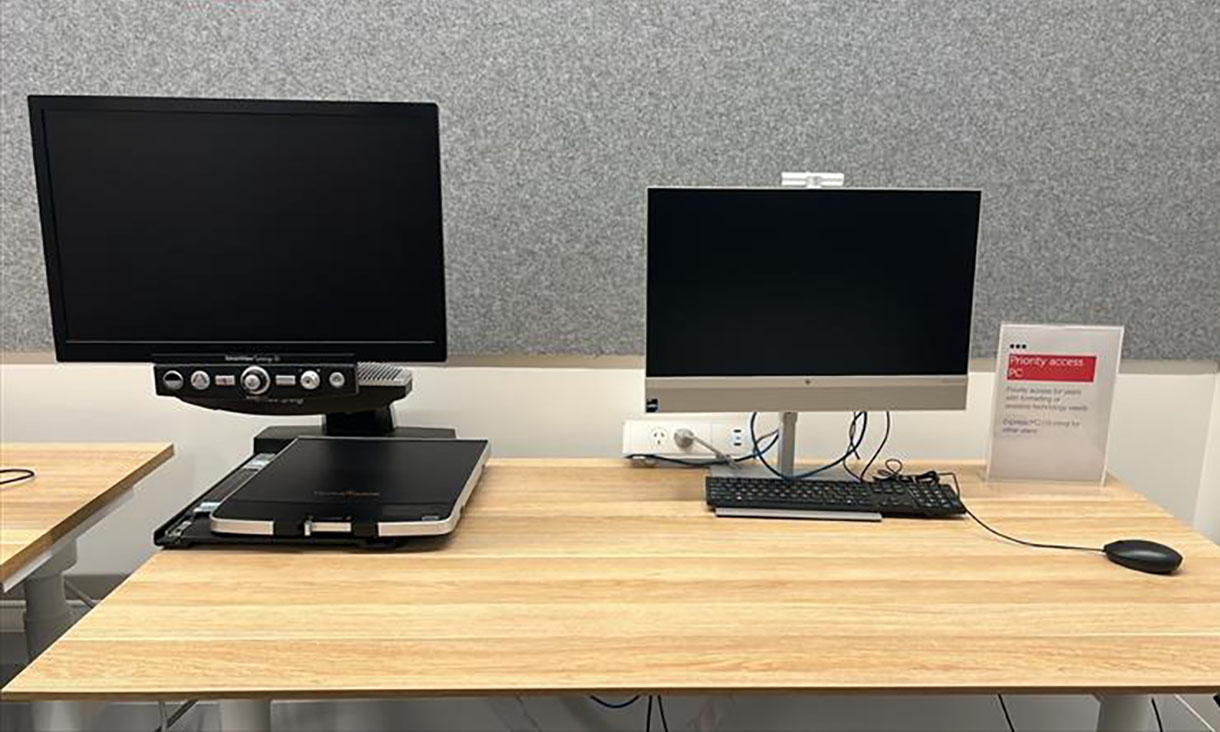
Assistive Technology Desks
An Assistive Technology Desk is an all-in-one desktop computer set up with a closed-circuit television (CCTV) magnifier for enlarging printed text. Bookings are not required.
You can find an Assistive Technology Desk at each Library site:
- Brunswick Library (514.02.011B)
- Bundoora Library (210.02.018)
- Carlton Library (094.03.007)
- Swanston Library (012.05.105).
RMIT also provides:
- selected assistive software on Library computers
- a range of software for eligible students through Equitable Learning Services (ELS). Some software may require registering with ELS for funding support.

Assistive technology help
Getting help with AT Desks
If you’re on campus and need assistance using an Assistive Technology Desk, Library staff are available to help.
You can also call 9925 2020 with your location, and someone will come to assist you.
Technical issues
For installation problems, login issues, or software not working correctly:
- Contact IT Service Connect on chat or log a request online
- For urgent assistance, call 9925 8000.
Personalised support with assistive technology
If you want help using assistive technology tools effectively, such as adjusting settings, learning features, or exploring what assistive software settings work best for your study style, go to: